Your cart is currently empty!


I. Background and Objectives
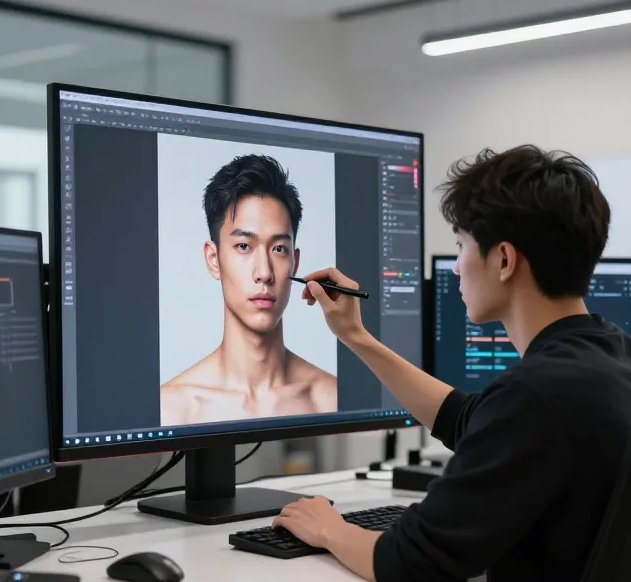
In the NavTalk real-time conversation system, digital humans need to display natural and smooth animation effects. To provide a better user experience, we need to generate a 4-second seamlessly looping video that allows the digital human to continuously play while waiting for user input or system responses, creating a seamless looping visual effect.
Core Challenges:
▪️ Seamless Loop: The last frame of the video must perfectly connect with the first frame to form a seamless loop
▪️ Natural Movement: The digital human’s movements need to be natural and professional, suitable for conversation scenarios
▪️ Precise Control: Precise control over video duration and loop points is required to ensure a perfect 4-second loop
II. Technical Solution Overview
We adopt a complete technical solution of AI Video Generation + Intelligent Blink Detection + Video Post-Processing:
Image Upload → Kling AI Generates 5s Video → Auto-detect Blink Time Point → Extract 2s Clip → Reverse and Concatenate → Generate 4s Loop VideoTechnology Stack:
Video Generation: Kling AI (formerly ClingAI) Image-to-Video API
Blink Detection: MediaPipe + OpenCV (Python script)
Video Processing: FFmpeg (clipping, reversing, concatenating)
Backend Framework: Spring Boot + Apache HttpClient
III. Complete Implementation Flow
Step 1: Image to Video Generation (Kling AI API)
First, we call Kling AI’s image-to-video API to generate an initial 5-second video.
1.1 API Call Implementation
@PostMapping("/generateVideo")
public Result generateVideoFromImage(
        @RequestPart("image") MultipartFile image,
        @RequestPart(value = "prompt", required = false) String prompt) {

    // If no prompt is provided, use the default NavTalk loop animation prompt
    if (prompt == null || prompt.trim().isEmpty()) {
        prompt = clingAiService.getDefaultNavTalkLoopPrompt();
    }

    // Call Service layer to generate 5-second video
    return clingAiService.generateVideo(image, prompt, 5);
}
1.2 Prompt Design
To generate a loopable video, we carefully designed the prompt to ensure the digital human faces the screen, remains still, and naturally blinks after 1 second:
public String getDefaultNavTalkLoopPrompt() {
    return "A digital human avatar faces the screen directly, completely still and motionless " +
           "throughout the entire video. The character maintains a calm, professional expression " +
           "with eyes open and fixed on the camera. After 1 second, the avatar performs a single " +
           "natural blink - eyelids close gently and then reopen smoothly. After the blink completes, " +
           "the character remains perfectly still again. The camera remains static with neutral lighting, " +
           "maintaining focus on the avatar's calm facial expression and professional demeanor. " +
           "The entire sequence creates a seamless loop where the end frame matches the start frame exactly, " +
           "with the blink occurring after 1 second in each cycle.";
}
Prompt Design Points:
▪️ Emphasize the digital human facing the screen (faces the screen directly)
▪️ Emphasize complete stillness (completely still and motionless), with no movement except blinking
▪️ Clear blink timing: blink starts after 1 second (After 1 second, the avatar performs a single natural blink)
▪️ Natural blink action: eyelids close gently and then reopen smoothly
▪️ Emphasize seamless connection: the end frame matches the start frame exactly
▪️ Maintain static camera and neutral lighting to ensure visual consistency
1.3 JWT Authentication
Kling AI API uses JWT Token for authentication. We implemented complete JWT generation logic:
public static String generateJwtToken(String accessKey, String secretKey) {
    // If Access Key is already in JWT format (3 parts), use it directly
    String[] tokenParts = accessKey.split("\.");
    if (tokenParts.length == 3) {
        return accessKey;
    }

    // Otherwise, generate a new JWT Token
    long now = System.currentTimeMillis() / 1000;
    String headerJson = "{"alg":"HS256","typ":"JWT"}";
    String payloadJson = "{"iss":"" + accessKey + "","iat":" + now +
                         ","nbf":" + now + ","exp":" + (now + 3600) + "}";

    String header = base64UrlEncode(headerJson.getBytes(StandardCharsets.UTF_8));
    String payload = base64UrlEncode(payloadJson.getBytes(StandardCharsets.UTF_8));
    String signingInput = header + "." + payload;
    String signature = hmacSha256Base64Url(signingInput, secretKey);

    return signingInput + "." + signature;
}
1.4 Configuration
First, we need to set up Kling AI API information in the configuration file:
# application.properties or application-dev.properties
clingai.api.url=https://api-singapore.klingai.com
clingai.api.access.key=your-access-key
clingai.api.secret.key=your-secret-key
Inject configuration in the Service class using the @Value annotation:
@Service
public class ClingAiServiceImpl implements ClingAiService {

    @Value("${clingai.api.url:}")
    private String clingaiApiUrl;

    @Value("${clingai.api.access.key:}")
    private String clingaiAccessKey;

    @Value("${clingai.api.secret.key:}")
    private String clingaiSecretKey;

    private final ObjectMapper objectMapper = new ObjectMapper();
    private CloseableHttpClient httpClient;

    // HttpClient initialization (with SSL support)
    @PostConstruct
    public void init() {
        try {
            SSLContext sslContext = SSLContext.getDefault();
            SSLConnectionSocketFactory sslSocketFactory = new SSLConnectionSocketFactory(
                    sslContext,
                    new String[]{"TLSv1.2", "TLSv1.3"},
                    null,
                    NoopHostnameVerifier.INSTANCE
            );

            PoolingHttpClientConnectionManager cm = new PoolingHttpClientConnectionManager();
            cm.setMaxTotal(100);
            cm.setDefaultMaxPerRoute(20);

            this.httpClient = HttpClients.custom()
                    .setConnectionManager(cm)
                    .setSSLSocketFactory(sslSocketFactory)
                    .setSSLHostnameVerifier(NoopHostnameVerifier.INSTANCE)
                    .build();
        } catch (Exception e) {
            throw new RuntimeException("Failed to initialize HttpClient", e);
        }
    }
}
1.5 API Request Construction and Response Processing
Complete generateVideo method implementation:
@Override
public Result generateVideo(MultipartFile image, String prompt, int duration) {
    try {
        // 1. Check configuration
        if (clingaiApiUrl == null || clingaiApiUrl.isEmpty()) {
            return ResultGenerator.genFailResult("Kling AI API configuration not set");
        }

        // 2. Build API endpoint
        String url = clingaiApiUrl + "/v1/videos/image2video";
        HttpPost httpPost = new HttpPost(url);

        // 3. Set request headers
        httpPost.setHeader("Content-Type", "application/json");

        // 4. Generate JWT Token and set Authorization header
        String authToken = ClingAiUtils.generateJwtToken(clingaiAccessKey, clingaiSecretKey);
        if (authToken == null || authToken.isEmpty()) {
            return ResultGenerator.genFailResult("Kling AI authentication information not configured or generation failed");
        }
        httpPost.setHeader("Authorization", "Bearer " + authToken);

        // 5. Build request body: Base64-encoded image + prompt + duration
        String imageBase64 = Base64.getEncoder().encodeToString(image.getBytes());
        Map<String, Object> requestBody = new HashMap<>();
        requestBody.put("model_name", "kling-v1-5");
        requestBody.put("image", imageBase64);
        requestBody.put("duration", String.valueOf(duration));
        requestBody.put("mode", "pro");
        if (prompt != null && !prompt.isEmpty()) {
            requestBody.put("prompt", prompt);
        }

        // 6. Send request
        String jsonBody = objectMapper.writeValueAsString(requestBody);
        httpPost.setEntity(new StringEntity(jsonBody, StandardCharsets.UTF_8));

        try (CloseableHttpResponse response = httpClient.execute(httpPost)) {
            String responseBody = EntityUtils.toString(response.getEntity(), StandardCharsets.UTF_8);
            int statusCode = response.getStatusLine().getStatusCode();

            // 7. Process response
            if (statusCode >= 200 && statusCode < 300) {
                try {
                    JsonNode jsonNode = objectMapper.readTree(responseBody);
                    // Response format: {code, message, request_id, data: {task_id, task_status, ...}}
                    int code = jsonNode.has("code") ? jsonNode.get("code").asInt() : -1;
                    if (code == 0 && jsonNode.has("data")) {
                        JsonNode dataNode = jsonNode.get("data");
                        Map<String, Object> resultMap = new HashMap<>();
                        resultMap.put("taskId", dataNode.has("task_id") ? dataNode.get("task_id").asText() : null);
                        resultMap.put("taskStatus", dataNode.has("task_status") ? dataNode.get("task_status").asText() : null);
                        resultMap.put("duration", duration);
                        resultMap.put("requestId", jsonNode.has("request_id") ? jsonNode.get("request_id").asText() : null);
                        return ResultGenerator.genSuccessResult(resultMap);
                    } else {
                        String message = jsonNode.has("message") ? jsonNode.get("message").asText() : "Unknown error";
                        return ResultGenerator.genFailResult("API returned error: " + message);
                    }
                } catch (Exception e) {
                    log.error("Failed to parse response", e);
                    Map<String, Object> resultMap = new HashMap<>();
                    resultMap.put("response", responseBody);
                    return ResultGenerator.genSuccessResult(resultMap);
                }
            } else {
                return ResultGenerator.genFailResult("API returned error: " + statusCode + " - " + responseBody);
            }
        }
    } catch (Exception e) {
        log.error("Exception occurred while generating {} second video", duration, e);
        return ResultGenerator.genFailResult("Exception occurred while generating video: " + e.getMessage());
    }
}
Step 2: Polling Video Generation Status
Kling AI’s video generation is asynchronous. We need to poll the task status until the video generation is complete.
2.1 Status Query API Implementation
@Override
public Result getVideoStatus(String taskId) {
    try {
        if (clingaiApiUrl == null || clingaiApiUrl.isEmpty()) {
            return ResultGenerator.genFailResult("Kling AI API configuration not set");
        }

        // API endpoint: GET /v1/videos/image2video/{task_id}
        String url = clingaiApiUrl + "/v1/videos/image2video/" + taskId;
        HttpGet httpGet = new HttpGet(url);

        httpGet.setHeader("Content-Type", "application/json");

        // Get authentication token
        String authToken = ClingAiUtils.generateJwtToken(clingaiAccessKey, clingaiSecretKey);
        if (authToken == null || authToken.isEmpty()) {
            return ResultGenerator.genFailResult("Kling AI authentication information not configured or generation failed");
        }
        httpGet.setHeader("Authorization", "Bearer " + authToken);

        try (CloseableHttpResponse response = httpClient.execute(httpGet)) {
            String responseBody = EntityUtils.toString(response.getEntity(), StandardCharsets.UTF_8);
            int statusCode = response.getStatusLine().getStatusCode();

            if (statusCode == 200) {
                try {
                    JsonNode jsonNode = objectMapper.readTree(responseBody);
                    int code = jsonNode.has("code") ? jsonNode.get("code").asInt() : -1;
                    if (code == 0 && jsonNode.has("data")) {
                        JsonNode dataNode = jsonNode.get("data");
                        Map<String, Object> resultMap = new HashMap<>();
                        resultMap.put("taskId", dataNode.has("task_id") ? dataNode.get("task_id").asText() : null);
                        resultMap.put("taskStatus", dataNode.has("task_status") ? dataNode.get("task_status").asText() : null);
                        resultMap.put("taskStatusMsg", dataNode.has("task_status_msg") ? dataNode.get("task_status_msg").asText() : null);

                        // Parse video result (if task is completed)
                        if (dataNode.has("task_result") && dataNode.get("task_result").has("videos")) {
                            JsonNode videosNode = dataNode.get("task_result").get("videos");
                            if (videosNode.isArray() && videosNode.size() > 0) {
                                JsonNode videoNode = videosNode.get(0);
                                resultMap.put("videoUrl", videoNode.has("url") ? videoNode.get("url").asText() : null);
                                resultMap.put("videoId", videoNode.has("id") ? videoNode.get("id").asText() : null);
                                resultMap.put("videoDuration", videoNode.has("duration") ? videoNode.get("duration").asText() : null);
                            }
                        }

                        return ResultGenerator.genSuccessResult(resultMap);
                    } else {
                        String message = jsonNode.has("message") ? jsonNode.get("message").asText() : "Unknown error";
                        return ResultGenerator.genFailResult("Query failed: " + message);
                    }
                } catch (Exception e) {
                    log.error("Failed to parse response", e);
                    Map<String, Object> resultMap = new HashMap<>();
                    resultMap.put("response", responseBody);
                    return ResultGenerator.genSuccessResult(resultMap);
                }
            } else {
                return ResultGenerator.genFailResult("Status query failed: " + statusCode + " - " + responseBody);
            }
        }
    } catch (Exception e) {
        log.error("Exception occurred while querying video status", e);
        return ResultGenerator.genFailResult("Exception occurred while querying status: " + e.getMessage());
    }
}
2.2 Polling Logic
// Step 2: Poll video generation status (wait up to maxPollingTime seconds)
log.info("Step 2: Start polling video generation status (wait up to {} seconds)", maxPollingTime);
String videoUrl = null;
long startTime = System.currentTimeMillis();
int pollCount = 0;
int maxPolls = maxPollingTime / 3; // Query every 3 seconds

while (pollCount < maxPolls) {
    Thread.sleep(3000); // Wait 3 seconds
    pollCount++;

    Result statusResult = getVideoStatus(taskId);
    if (statusResult.getCode() != 200) {
        log.warn("Failed to query video status: {}", statusResult.getMessage());
        continue;
    }

    Map<String, Object> statusData = (Map<String, Object>) statusResult.getData();
    String taskStatus = (String) statusData.get("taskStatus");
    videoUrl = (String) statusData.get("videoUrl");

    log.info("Poll #{}: status: {}, videoUrl: {}", pollCount, taskStatus,
             videoUrl != null ? "generated" : "not generated");

    if (videoUrl != null && !videoUrl.isEmpty()) {
        log.info("Video generation completed, URL: {}", videoUrl);
        break;
    }

    if ("failed".equals(taskStatus) || "error".equals(taskStatus)) {
        return ResultGenerator.genFailResult("Video generation failed, status: " + taskStatus);
    }

    // Check timeout
    if (System.currentTimeMillis() - startTime > maxPollingTime * 1000L) {
        return ResultGenerator.genFailResult("Video generation timeout, please query status manually later");
    }
}

if (videoUrl == null || videoUrl.isEmpty()) {
    return ResultGenerator.genFailResult("Video generation timeout or failed, please query status manually later, taskId: " + taskId);
}
Step 3: Download Generated Video File
After obtaining the video URL, we need to download the video file locally for subsequent processing.
@Override
public MultipartFile downloadVideoFromUrl(String videoUrl) {
    try {
        log.info("Start downloading video: {}", videoUrl);

        HttpGet httpGet = new HttpGet(videoUrl);
        httpGet.setHeader("User-Agent", "Mozilla/5.0");

        try (CloseableHttpResponse response = httpClient.execute(httpGet)) {
            int statusCode = response.getStatusLine().getStatusCode();
            if (statusCode != 200) {
                log.error("Failed to download video, HTTP status code: {}", statusCode);
                return null;
            }

            byte[] videoBytes = EntityUtils.toByteArray(response.getEntity());
            log.info("Video download completed, size: {} bytes", videoBytes.length);

            // Wrap as MultipartFile and return
            return new MultipartFile() {
                @Override
                public String getName() {
                    return "video";
                }

                @Override
                public String getOriginalFilename() {
                    return "generated_video.mp4";
                }

                @Override
                public String getContentType() {
                    return "video/mp4";
                }

                @Override
                public boolean isEmpty() {
                    return videoBytes.length == 0;
                }

                @Override
                public long getSize() {
                    return videoBytes.length;
                }

                @Override
                public byte[] getBytes() throws IOException {
                    return videoBytes;
                }

                @Override
                public InputStream getInputStream() throws IOException {
                    return new ByteArrayInputStream(videoBytes);
                }

                @Override
                public void transferTo(java.io.File dest) throws IOException, IllegalStateException {
                    java.nio.file.Files.write(dest.toPath(), videoBytes);
                }
            };
        }
    } catch (Exception e) {
        log.error("Failed to download video file", e);
        return null;
    }
}
Step 4: Automatic Blink Time Point Detection
This is a critical step in the entire process. We need to find the blink time point in the video as the keyframe for looping. Blinking is a natural action node, and choosing the blink moment as the loop point ensures a more natural loop.
4.1 Why Choose Blinking as the Loop Point?
▪️ Natural Transition: Blinking is a brief action, and the facial state before and after blinking is similar, making it suitable as a loop point
▪️ Visual Concealment: The visual change during the blink moment can mask the loop transition
▪️ Temporal Precision: The blink action has a clear start and end, facilitating precise positioning
4.2 Blink Detection Implementation
We use a Python script to call MediaPipe or OpenCV for blink detection. Complete detectBlink method implementation:
@Override
public Result detectBlink(MultipartFile video) {
    try {
        if (video == null || video.isEmpty()) {
            return ResultGenerator.genFailResult("Video file cannot be empty");
        }

        // Create temporary working directory
        Path workDir = Files.createTempDirectory("clingai-detect-");
        Path inputPath = workDir.resolve("input.mp4");
        Path scriptPath = null;

        try {
            // 1. Save video file to temporary directory
            Files.copy(video.getInputStream(), inputPath, StandardCopyOption.REPLACE_EXISTING);

            // 2. Get Python script path (from resources or file system)
            try {
                java.net.URL scriptUrl = getClass().getClassLoader().getResource("scripts/detect_blink.py");
                if (scriptUrl != null) {
                    scriptPath = Paths.get(scriptUrl.toURI());
                } else {
                    // If resource file doesn't exist, try reading from file system
                    String scriptResourcePath = "src/main/resources/scripts/detect_blink.py";
                    Path projectRoot = Paths.get(System.getProperty("user.dir"));
                    scriptPath = projectRoot.resolve(scriptResourcePath);
                    if (!Files.exists(scriptPath)) {
                        return ResultGenerator.genFailResult("Blink detection script not found, please manually mark the blink time point");
                    }
                }
            } catch (Exception e) {
                log.warn("Unable to load script from resources, trying to read from file system", e);
                String scriptResourcePath = "src/main/resources/scripts/detect_blink.py";
                Path projectRoot = Paths.get(System.getProperty("user.dir"));
                scriptPath = projectRoot.resolve(scriptResourcePath);
                if (!Files.exists(scriptPath)) {
                    return ResultGenerator.genFailResult("Blink detection script not found, please manually mark the blink time point");
                }
            }

            // 3. Call Python script
            String pythonCmd = "python3";
            if (System.getProperty("os.name").toLowerCase().contains("windows")) {
                pythonCmd = "python";
            }

            ProcessBuilder pb = new ProcessBuilder(
                    pythonCmd,
                    scriptPath.toString(),
                    inputPath.toString()
            );
            // Don't redirect stderr, read stdout and stderr separately
            pb.redirectErrorStream(false);
            Process p = pb.start();

            // 4. Read stdout (JSON output)
            StringBuilder output = new StringBuilder();
            try (BufferedReader reader = new BufferedReader(
                    new InputStreamReader(p.getInputStream(), StandardCharsets.UTF_8))) {
                String line;
                while ((line = reader.readLine()) != null) {
                    output.append(line).append("n");
                }
            }

            // 5. Read stderr (error messages, for logging only)
            StringBuilder errorOutput = new StringBuilder();
            Thread stderrReader = new Thread(() -> {
                try (BufferedReader errorReader = new BufferedReader(
                        new InputStreamReader(p.getErrorStream(), StandardCharsets.UTF_8))) {
                    String line;
                    while ((line = errorReader.readLine()) != null) {
                        synchronized (errorOutput) {
                            errorOutput.append(line).append("n");
                        }
                    }
                } catch (IOException e) {
                    log.warn("Failed to read Python stderr", e);
                }
            });
            stderrReader.start();

            // Wait for stderr reading thread to complete (wait up to 5 seconds)
            try {
                stderrReader.join(5000);
            } catch (InterruptedException e) {
                log.warn("Stderr reading thread was interrupted", e);
            }

            if (errorOutput.length() > 0) {
                log.info("Python script stderr output: {}", errorOutput.toString());
            }

            // 6. Wait for process to complete and check exit code
            int exitCode = p.waitFor();
            if (exitCode != 0) {
                log.error("Python script execution failed, exit code: {}, stdout: {}, stderr: {}",
                        exitCode, output.toString(), errorOutput.toString());
                return ResultGenerator.genFailResult("Blink detection failed, please manually mark the blink time point");
            }

            // 7. Extract JSON from output (may contain other text, need to find JSON part)
            String fullOutput = output.toString().trim();
            String jsonOutput = ClingAiUtils.extractJsonFromOutput(fullOutput);

            if (jsonOutput == null || jsonOutput.isEmpty()) {
                log.error("Unable to extract JSON from Python output, full output: {}", fullOutput);
                log.error("stderr output: {}", errorOutput.toString());
                return ResultGenerator.genFailResult("Blink detection failed: unable to parse result, please manually mark the blink time point");
            }

            // 8. Parse JSON result
            log.info("JSON returned by Python script: {}", jsonOutput);
            JsonNode resultNode = objectMapper.readTree(jsonOutput);

            if (resultNode.has("success") && resultNode.get("success").asBoolean()) {
                double blinkTime = resultNode.get("blinkTime").asDouble();
                Map<String, Object> resultMap = new HashMap<>();
                resultMap.put("blinkTime", blinkTime);
                return ResultGenerator.genSuccessResult(resultMap);
            } else {
                String errorMsg = resultNode.has("error")
                        ? resultNode.get("error").asText()
                        : "No blink detected";
                return ResultGenerator.genFailResult(errorMsg + ", please manually mark the blink time point");
            }

        } finally {
            // Clean up temporary files
            try {
                if (Files.exists(inputPath)) {
                    Files.delete(inputPath);
                }
                if (Files.exists(workDir)) {
                    Files.delete(workDir);
                }
            } catch (Exception e) {
                log.warn("Failed to clean up temporary files", e);
            }
        }

    } catch (Exception e) {
        log.error("Exception occurred while detecting blink", e);
        return ResultGenerator.genFailResult("Exception occurred while detecting blink: " + e.getMessage() +
                                             ", please manually mark the blink time point");
    }
}
4.3 Calling Blink Detection
// Step 4: Automatically detect blink time point in video
log.info("Step 4: Automatically detect blink time point in video");
Result detectResult = videoProcessService.detectBlink(videoFile);
Double blinkTime;
if (detectResult.getCode() != 200) {
    log.warn("Automatic blink detection failed: {}, using default value 2.5 seconds", detectResult.getMessage());
    // If detection fails, use default value
    blinkTime = 2.5;
    log.info("Using default blink time: {} seconds", blinkTime);
} else {
    Map<String, Object> detectData = (Map<String, Object>) detectResult.getData();
    blinkTime = ((Number) detectData.get("blinkTime")).doubleValue();
    log.info("Detected blink time: {} seconds", blinkTime);
}
4.4 Python Blink Detection Script
Our blink detection script supports two detection methods: prioritize MediaPipe (high precision), fallback to OpenCV (compatibility). Here is the complete implementation:
#!/usr/bin/env python3
# -*- coding: utf-8 -*-
"""
Video Blink Detection Script
Uses mature libraries for accurate blink detection:
1. Prioritize MediaPipe Face Mesh (Google open-source, high accuracy)
2. Fallback to OpenCV Haar Cascades (simple but lower accuracy)

Dependencies installation:
pip install opencv-python numpy mediapipe==0.10.9
"""

import sys
import cv2
import json
import os
import numpy as np

# Set standard output encoding to UTF-8 (avoid Windows console garbled text)
if sys.platform == 'win32':
    try:
        import io
        if hasattr(sys.stdout, 'buffer'):
            sys.stdout = io.TextIOWrapper(sys.stdout.buffer, encoding='utf-8',
                                         errors='replace', line_buffering=True)
        if hasattr(sys.stderr, 'buffer'):
            sys.stderr = io.TextIOWrapper(sys.stderr.buffer, encoding='utf-8',
                                         errors='replace', line_buffering=True)
    except Exception:
        pass

def detect_blink_with_mediapipe(video_path):
    """
    Use MediaPipe for more accurate blink detection
    Requires installation: pip install mediapipe==0.10.9
    """
    try:
        import mediapipe as mp
    except ImportError as e:
        print(f"MediaPipe not installed: {e}", file=sys.stderr)
        return None

    # Check MediaPipe version and API availability
    mp_version = getattr(mp, '__version__', 'unknown')
    print(f"MediaPipe version: {mp_version}", file=sys.stderr)

    # Check if solutions module exists (old API)
    if not hasattr(mp, 'solutions'):
        print(f"MediaPipe {mp_version} uses new tasks API, does not support old solutions API",
              file=sys.stderr)
        print("Please downgrade to a version that supports solutions: pip install mediapipe==0.10.9",
              file=sys.stderr)
        return None

    mp_face_mesh = mp.solutions.face_mesh
    face_mesh = mp_face_mesh.FaceMesh(
        static_image_mode=False,
        max_num_faces=1,
        refine_landmarks=True,
        min_detection_confidence=0.5,
        min_tracking_confidence=0.5
    )

    cap = cv2.VideoCapture(video_path)
    if not cap.isOpened():
        return None

    fps = cap.get(cv2.CAP_PROP_FPS)
    frame_count = 0

    # Eye keypoint indices (MediaPipe 468-point model)
    LEFT_EYE_INDICES = [33, 7, 163, 144, 145, 153, 154, 155, 133, 173,
                        157, 158, 159, 160, 161, 246]
    RIGHT_EYE_INDICES = [362, 382, 381, 380, 374, 373, 390, 249, 263, 466,
                         388, 387, 386, 385, 384, 398]

    def calculate_eye_aspect_ratio(landmarks, eye_indices):
        """Calculate Eye Aspect Ratio (EAR)"""
        eye_points = [landmarks[i] for i in eye_indices]
        if len(eye_points) < 6:
            return 1.0

        # Calculate vertical distances
        vertical_1 = abs(eye_points[1].y - eye_points[5].y)
        vertical_2 = abs(eye_points[2].y - eye_points[4].y)
        # Calculate horizontal distance
        horizontal = abs(eye_points[0].x - eye_points[3].x)

        if horizontal == 0:
            return 1.0

        ear = (vertical_1 + vertical_2) / (2.0 * horizontal)
        return ear

    blink_times = []
    ear_threshold = 0.25  # EAR threshold, values below this are considered blinks
    consecutive_frames = 0

    while True:
        ret, frame = cap.read()
        if not ret:
            break

        rgb_frame = cv2.cvtColor(frame, cv2.COLOR_BGR2RGB)
        results = face_mesh.process(rgb_frame)

        if results.multi_face_landmarks:
            landmarks = results.multi_face_landmarks[0].landmark

            # Calculate EAR for left and right eyes
            left_ear = calculate_eye_aspect_ratio(landmarks, LEFT_EYE_INDICES)
            right_ear = calculate_eye_aspect_ratio(landmarks, RIGHT_EYE_INDICES)
            avg_ear = (left_ear + right_ear) / 2.0

            # Detect blink
            if avg_ear < ear_threshold:
                consecutive_frames += 1
                if consecutive_frames == 1:  # Blink starts
                    time_sec = frame_count / fps
                    blink_times.append(time_sec)
            else:
                consecutive_frames = 0

        frame_count += 1
        # Limit processing frames (improve performance)
        if frame_count > 300:
            break

    cap.release()
    face_mesh.close()

    if blink_times:
        return blink_times[0]
    return None

def detect_blink_simple(video_path):
    """
    Improved OpenCV blink detection method: based on eye region changes and eye count
    Use this improved version if MediaPipe is unavailable
    """
    cap = cv2.VideoCapture(video_path)
    if not cap.isOpened():
        return None

    fps = cap.get(cv2.CAP_PROP_FPS)
    if fps <= 0:
        fps = 30.0

    # Use OpenCV face detector
    face_cascade = cv2.CascadeClassifier(
        cv2.data.haarcascades + 'haarcascade_frontalface_default.xml')
    eye_cascade = cv2.CascadeClassifier(
        cv2.data.haarcascades + 'haarcascade_eye.xml')

    blink_times = []
    frame_count = 0
    prev_eye_count = None
    prev_eye_area = None
    blink_threshold = 0.7  # Eye region change threshold
    min_eye_area = 50

    # Eye area history for smoothing
    eye_area_history = []
    history_size = 3

    while True:
        ret, frame = cap.read()
        if not ret:
            break

        gray = cv2.cvtColor(frame, cv2.COLOR_BGR2GRAY)
        faces = face_cascade.detectMultiScale(
            gray, scaleFactor=1.1, minNeighbors=3, minSize=(50, 50))

        current_eye_count = 0
        current_eye_area = 0

        if len(faces) > 0:
            # Select the largest face
            largest_face = max(faces, key=lambda f: f[2] * f[3])
            x, y, w, h = largest_face

            # Only detect upper half of face (eye region)
            roi_gray = gray[y:y+int(h*0.6), x:x+w]
            eyes = eye_cascade.detectMultiScale(
                roi_gray, scaleFactor=1.1, minNeighbors=2, minSize=(15, 15))
            current_eye_count = len(eyes)

            for (ex, ey, ew, eh) in eyes:
                eye_area = ew * eh
                if eye_area >= min_eye_area:
                    current_eye_area += eye_area

        # Smoothing: use historical average
        eye_area_history.append(current_eye_area)
        if len(eye_area_history) > history_size:
            eye_area_history.pop(0)
        avg_eye_area = sum(eye_area_history) / len(eye_area_history) if eye_area_history else 0

        # Blink detection logic
        if prev_eye_count is not None and prev_eye_area is not None:
            # Method 1: Eye count change (from 2 to 0 or 1)
            if prev_eye_count >= 2 and current_eye_count < 2:
                time_sec = (frame_count - 1) / fps
                blink_times.append(time_sec)
            # Method 2: Eye area suddenly decreases
            elif prev_eye_area > min_eye_area and avg_eye_area > 0:
                area_ratio = avg_eye_area / prev_eye_area if prev_eye_area > 0 else 1.0
                area_drop = (prev_eye_area - avg_eye_area) / prev_eye_area if prev_eye_area > 0 else 0
                if area_ratio < blink_threshold or area_drop > 0.15:
                    time_sec = (frame_count - 1) / fps
                    if not blink_times or abs(blink_times[-1] - time_sec) > 0.3:
                        blink_times.append(time_sec)

        prev_eye_count = current_eye_count
        prev_eye_area = avg_eye_area if avg_eye_area > 0 else (prev_eye_area if prev_eye_area else 0)
        frame_count += 1

        # Limit processing time (process first 15 seconds or first 450 frames)
        max_frames = min(450, int(fps * 15))
        if frame_count >= max_frames:
            break

    cap.release()

    if blink_times:
        return blink_times[0]
    return None

def main():
    if len(sys.argv) < 2:
        result = {
            "error": "Video path must be provided as argument",
            "success": False
        }
        print(json.dumps(result, ensure_ascii=False))
        sys.exit(1)

    video_path = sys.argv[1]

    if not os.path.exists(video_path):
        result = {
            "error": f"Video file does not exist: {video_path}",
            "success": False
        }
        print(json.dumps(result, ensure_ascii=False))
        sys.exit(1)

    # Prioritize MediaPipe (most accurate)
    blink_time = None
    detection_method = None

    try:
        blink_time = detect_blink_with_mediapipe(video_path)
        if blink_time is not None:
            detection_method = "mediapipe"
    except Exception as e:
        print(f"MediaPipe detection exception: {e}", file=sys.stderr)

    # If MediaPipe fails, use OpenCV simple method (as fallback)
    if blink_time is None:
        try:
            blink_time = detect_blink_simple(video_path)
            if blink_time is not None:
                detection_method = "opencv"
        except Exception as e:
            print(f"OpenCV detection exception: {e}", file=sys.stderr)

    if blink_time is not None:
        result = {
            "blinkTime": round(blink_time, 2),
            "success": True,
            "method": detection_method or "unknown"
        }
    else:
        result = {
            "error": "No blink detected. Possible reasons: 1) No face in video 2) Poor face angle 3) Low video quality 4) MediaPipe not properly installed. Please manually mark the blink time point.",
            "success": False
        }

    # Output JSON result to stdout (error messages already output to stderr)
    json_output = json.dumps(result, ensure_ascii=False)
    print(json_output, flush=True)

if __name__ == "__main__":
    main()
Script Features:
▪️ Dual Algorithm Support: Prioritize MediaPipe (high-precision EAR algorithm), fallback to OpenCV (compatibility)
▪️ EAR Algorithm: MediaPipe uses Eye Aspect Ratio (EAR) for precise blink detection
▪️ Multiple Detection Methods: OpenCV uses eye count changes, area changes, and other methods
▪️ Smoothing: Use historical frame averages to reduce noise interference
▪️ Performance Optimization: Limit processing frames to improve processing speed
▪️ Error Handling: Comprehensive exception handling and log output
Step 5: Generate Loop Video (FFmpeg Processing)
This is the final and most critical step. We need to:
▪️ Extract 1 second before and after the blink time point (2 seconds total)
▪️ Reverse the 2-second clip
▪️ Concatenate the original clip and the reversed clip to form a 4-second loop video
5.1 Complete Loop Video Generation Implementation
@Override
public Result loopVideo(MultipartFile video, Double blinkTime,
                       Double beforeSeconds, Double afterSeconds, String userId) {
    try {
        if (video == null || video.isEmpty()) {
            return ResultGenerator.genFailResult("Video file cannot be empty");
        }

        double before = beforeSeconds == null ? 1.0 : beforeSeconds;
        double after = afterSeconds == null ? 1.0 : afterSeconds;

        // Create temporary working directory
        Path workDir = Files.createTempDirectory("clingai-loop-");
        Path inputPath = workDir.resolve("input.mp4");
        Path clipPath = workDir.resolve("clip.mp4");
        Path revPath = workDir.resolve("reversed.mp4");
        Path outPath = workDir.resolve("loop.mp4");

        try {
            // 1. Save input video
            Files.copy(video.getInputStream(), inputPath, StandardCopyOption.REPLACE_EXISTING);

            // 2. Calculate clipping parameters
            double t = blinkTime == null ? 2.5 : blinkTime;
            double start = Math.max(0.0, t - before);
            double duration = before + after;

            // 3. Extract video clip (2 seconds)
            int clipExit = runFfmpeg(new String[]{
                    "ffmpeg", "-y", "-ss", String.valueOf(start),
                    "-t", String.valueOf(duration), "-i", inputPath.toString(),
                    "-an", "-c:v", "libx264", "-pix_fmt", "yuv420p",
                    clipPath.toString()
            });
            if (clipExit != 0) {
                return ResultGenerator.genFailResult("ffmpeg clipping failed");
            }

            // 4. Reverse video clip
            int revExit = runFfmpeg(new String[]{
                    "ffmpeg", "-y", "-i", clipPath.toString(),
                    "-vf", "reverse", "-an", "-c:v", "libx264",
                    "-pix_fmt", "yuv420p", revPath.toString()
            });
            if (revExit != 0) {
                return ResultGenerator.genFailResult("ffmpeg reverse failed");
            }

            // 5. Concatenate original clip and reversed clip (4-second loop video)
            int concatExit = runFfmpeg(new String[]{
                    "ffmpeg", "-y", "-i", clipPath.toString(),
                    "-i", revPath.toString(),
                    "-filter_complex", "[0:v][1:v]concat=n=2:v=1:a=0[v]",
                    "-map", "[v]", "-an", "-c:v", "libx264",
                    "-pix_fmt", "yuv420p", outPath.toString()
            });
            if (concatExit != 0) {
                return ResultGenerator.genFailResult("ffmpeg concatenation failed");
            }

            // 6. Read generated video
            byte[] outBytes = Files.readAllBytes(outPath);

            // 7. Create MultipartFile object
            MultipartFile outFile = new MultipartFile() {
                @Override
                public String getName() {
                    return "file";
                }

                @Override
                public String getOriginalFilename() {
                    return "loop.mp4";
                }

                @Override
                public String getContentType() {
                    return "video/mp4";
                }

                @Override
                public boolean isEmpty() {
                    return outBytes.length == 0;
                }

                @Override
                public long getSize() {
                    return outBytes.length;
                }

                @Override
                public byte[] getBytes() throws IOException {
                    return outBytes;
                }

                @Override
                public InputStream getInputStream() throws IOException {
                    return new ByteArrayInputStream(outBytes);
                }

                @Override
                public void transferTo(java.io.File dest) throws IOException, IllegalStateException {
                    Files.write(dest.toPath(), outBytes);
                }
            };

            // 8. Save file
            try {
                AppFile appFile = saveFile(outFile, userId);
                return ResultGenerator.genSuccessResult(appFile);
            } catch (Exception saveException) {
                log.error("Failed to save file", saveException);
                // If file save fails, try returning temporary file path
                Map<String, Object> resultMap = new HashMap<>();
                resultMap.put("fileUrl", "/temp/" + outPath.getFileName().toString());
                resultMap.put("fileName", "loop.mp4");
                resultMap.put("fileType", "video/mp4");
                resultMap.put("message", "File generated but failed to save to database: " + saveException.getMessage());
                return ResultGenerator.genSuccessResult(resultMap);
            }

        } finally {
            // Clean up temporary files
            try {
                if (Files.exists(inputPath)) {
                    Files.delete(inputPath);
                }
                if (Files.exists(clipPath)) {
                    Files.delete(clipPath);
                }
                if (Files.exists(revPath)) {
                    Files.delete(revPath);
                }
                if (Files.exists(outPath)) {
                    Files.delete(outPath);
                }
                if (Files.exists(workDir)) {
                    Files.delete(workDir);
                }
            } catch (Exception e) {
                log.warn("Failed to clean up temporary files", e);
            }
        }
    } catch (Exception e) {
        log.error("Failed to process loop video", e);
        String errorMsg = e.getMessage();
        if (errorMsg == null || errorMsg.isEmpty()) {
            errorMsg = e.getClass().getSimpleName();
        }
        return ResultGenerator.genFailResult("Failed to process loop video: " + errorMsg);
    }
}

/**
 * Execute FFmpeg command
 */
private int runFfmpeg(String[] command) throws IOException, InterruptedException {
    ProcessBuilder pb = new ProcessBuilder(command);
    pb.redirectErrorStream(true);
    Process p = pb.start();
    try (InputStream is = p.getInputStream()) {
        byte[] buf = new byte[1024];
        while (is.read(buf) != -1) {
            // Read output to avoid buffer blocking
        }
    }
    return p.waitFor();
}
5.2 FFmpeg Command Details
Extract Video Clip:
ffmpeg -y -ss 1.5 -t 2.0 -i input.mp4 -an -c:v libx264 -pix_fmt yuv420p clip.mp4▪️ -ss 1.5: Start from 1.5 seconds
▪️ -t 2.0: Extract 2 seconds
▪️ -an: Remove audio
▪️ -c:v libx264: Use H.264 encoding
▪️ -pix_fmt yuv420p: Pixel format (compatibility)
Reverse Video:
ffmpeg -y -i clip.mp4 -vf reverse -an -c:v libx264 -pix_fmt yuv420p reversed.mp4▪️ -vf reverse: Video filter, reverse playback
Concatenate Video:
ffmpeg -y -i clip.mp4 -i reversed.mp4 -filter_complex "[0:v][1:v]concat=n=2:v=1:a=0[v]" -map "[v]" -an -c:v libx264 -pix_fmt yuv420p loop.mp4▪️ concat=n=2:v=1:a=0: Concatenate 2 videos, video stream only, no audio stream
ProcessBuilder pb = new ProcessBuilder(
    "python",
    scriptPath.toString(),
    inputPath.toString()
);
pb.redirectErrorStream(false); // Read stdout and stderr separately
Process p = pb.start();

// Read stdout (JSON output)
StringBuilder output = new StringBuilder();
try (BufferedReader reader = new BufferedReader(
        new InputStreamReader(p.getInputStream(), StandardCharsets.UTF_8))) {
    String line;
    while ((line = reader.readLine()) != null) {
        output.append(line).append("n");
    }
}

// Extract JSON from output
String jsonOutput = ClingAiUtils.extractJsonFromOutput(output.toString());
JsonNode resultNode = objectMapper.readTree(jsonOutput);
double blinkTime = resultNode.get("blinkTime").asDouble();
IV. Core Interface Implementation
4.1 Complete Process Interface
@PostMapping("/generateLoopVideo")
@ApiOperation(value = "Complete process: Upload image to generate loop video (auto-detect blink)")
public Result generateLoopVideo(
        @RequestPart("image") MultipartFile image,
        @RequestParam(value = "prompt", required = false) String prompt,
        @RequestParam(value = "beforeSeconds", required = false, defaultValue = "1.0") Double beforeSeconds,
        @RequestParam(value = "afterSeconds", required = false, defaultValue = "1.0") Double afterSeconds,
        @RequestParam(value = "maxPollingTime", required = false, defaultValue = "300") Integer maxPollingTime) {

    if (image == null || image.isEmpty()) {
        return ResultGenerator.genFailResult("Image file cannot be empty");
    }

    // Get current user ID
    String userId = getCurrentTokenUserId();

    // Call Service layer to complete the full process
    return clingAiService.generateLoopVideo(
        image, prompt, beforeSeconds, afterSeconds, maxPollingTime, userId
    );
}
4.2 Interface Parameters
| Parameter | Type | Required | Default | Description |
|---|---|---|---|---|
| image | MultipartFile | Yes | – | Digital human image |
| prompt | String | No | Default prompt | Video generation prompt |
| beforeSeconds | Double | No | 1.0 | Duration to extract before blink time point (seconds) |
| afterSeconds | Double | No | 1.0 | Duration to extract after blink time point (seconds) |
| maxPollingTime | Integer | No | 300 | Maximum waiting time for video generation (seconds) |
4.3 Response Result
{
  "code": 200,
  "message": "success",
  "data": {
    "id": "File ID",
    "fileName": "loop.mp4",
    "fileUrl": "/uploadFiles/2026/02/02/xxx.mp4",
    "detectedBlinkTime": 2.5,
    "originalTaskId": "Kling AI Task ID",
    "originalVideoUrl": "Original Video URL"
  }
}
V. Technical Highlights
5.1 Intelligent Blink Detection
Multiple Algorithm Support: Prioritize MediaPipe (high precision), fallback to OpenCV (compatibility)
EAR Algorithm: Use Eye Aspect Ratio (EAR) for precise blink detection
Fault Tolerance: Use default value (video midpoint 2.5 seconds) when detection fails
5.2 Seamless Loop Design
Still + Blink: Prompt design ensures digital human faces screen, completely still, only natural blink after 1 second
Precise Extraction: Extract 1 second before and after blink time point as center
Reverse and Concatenate: Original clip + Reversed clip = Perfect loop (blink action naturally connects at loop point)
5.3 Architecture Design
Layered Architecture: Controller → Service → Utils, clear responsibilities
Asynchronous Processing: Video generation is asynchronous, polling query status
Error Handling: Comprehensive exception handling and logging
VI. Summary
Through the complete technical solution of AI Video Generation + Intelligent Blink Detection + FFmpeg Video Processing, we have successfully achieved:
✅ Perfect 4-Second Loop: Original 2-second clip + Reversed 2-second clip = 4-second seamless loop
✅ Natural Movement: Intelligent extraction based on blink time point ensures natural loop
✅ Automated Process: Fully automated from image upload to loop video generation
✅ High-Quality Output: Use Kling AI Pro mode to generate high-quality videos
This solution not only addresses NavTalk’s digital human loop video requirements but also provides a solid foundation for future extensions (such as different loop durations, custom loop points, etc.).
Feature Release Plan
We will officially release this feature in the near future, allowing users to directly upload a custom character image, and the system will automatically generate a vivid 4-second loop video. The generated videos can be directly applied to digital human displays in NavTalk, providing users with a more personalized and vivid conversation experience. This feature will significantly lower the barrier to digital human video production, enabling every user to easily create their own exclusive digital human avatar.
Leave a Reply